Source first, zero-loss round trip
The editor buffer holds exactly the Markdown that is on disk — no private intermediate model. Open a file and save it, and it comes back byte for byte: encoding, line endings, and whether you wrote * or _.
An open-source WYSIWYG Markdown editor. No split pane, no preview pane — just one editing surface.

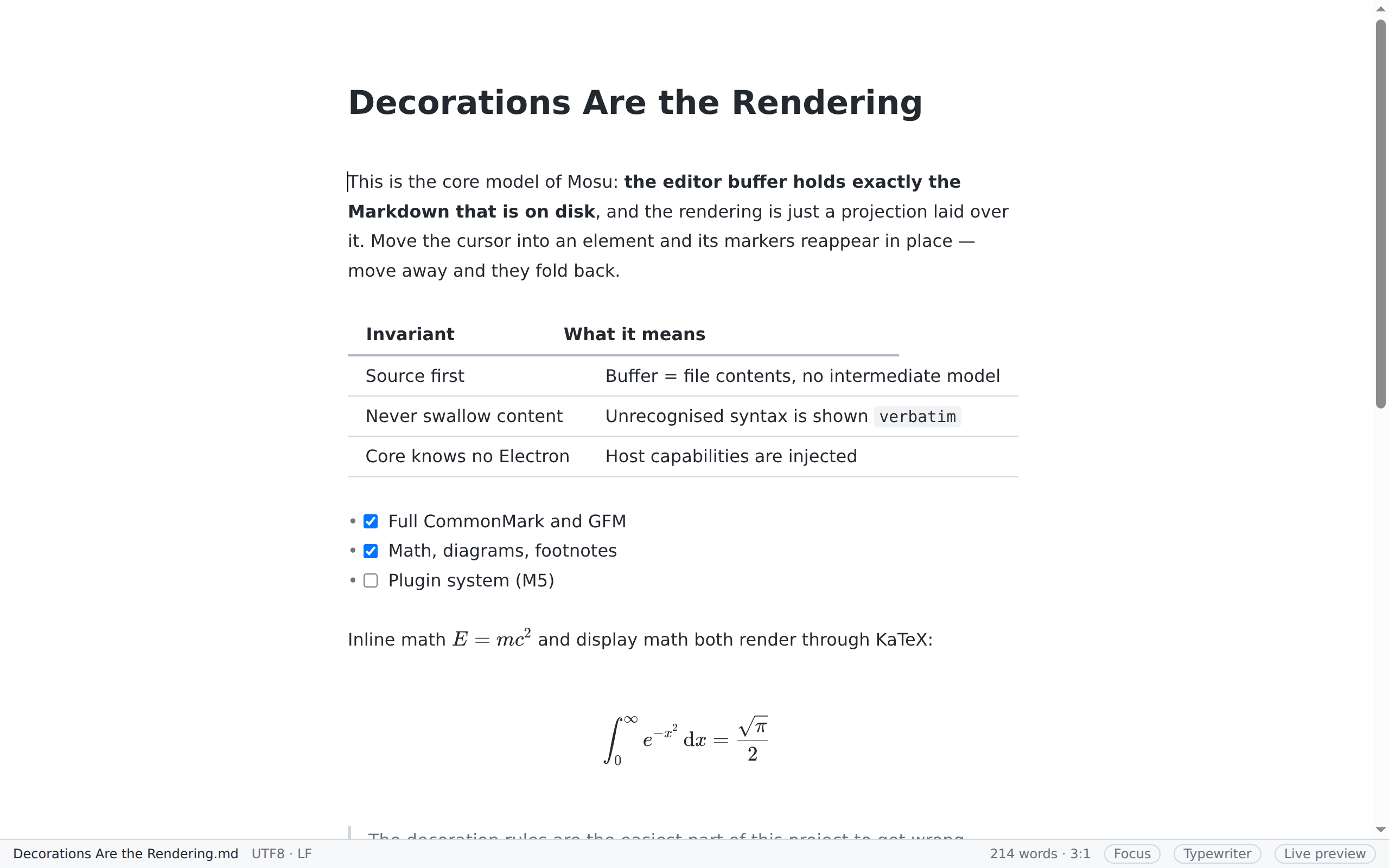
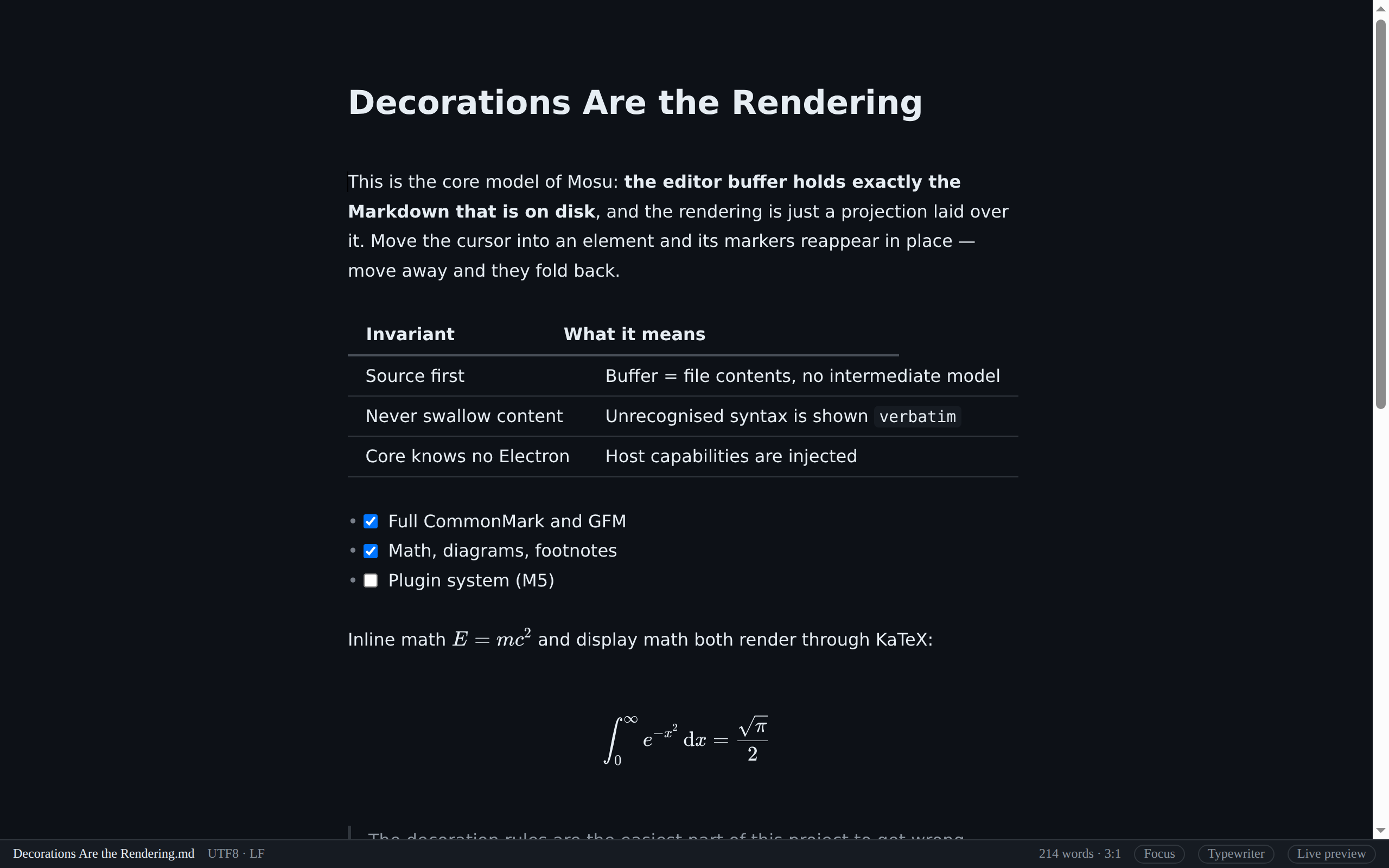
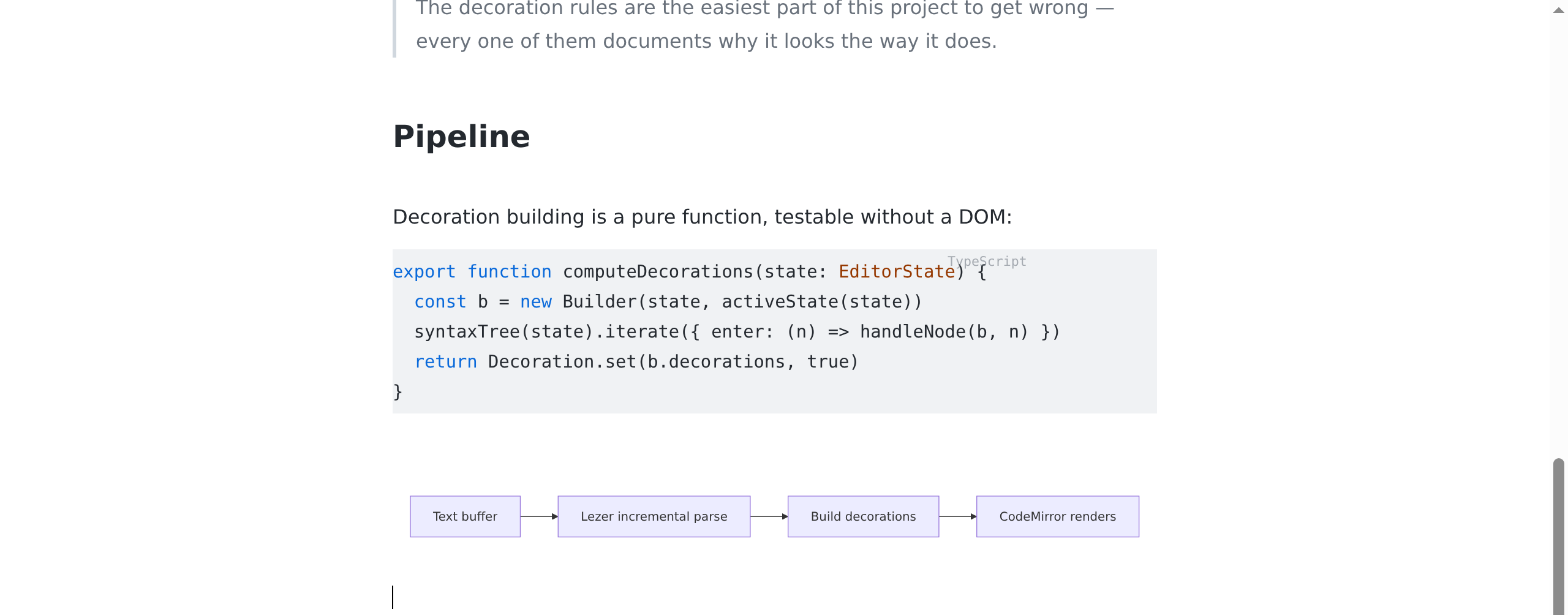
These screenshots are taken by a script driving the real app (pnpm screenshots), not mockups — the column widths, the typeset formula and the diagram below are all computed by the product itself.
This is the whole interaction, and it is what separates the editor from "source on the left, preview on the right": normally you see typeset text; move the cursor in, and the Markdown markers for that one element appear in place so you can edit them. No mode switch, no second pane.
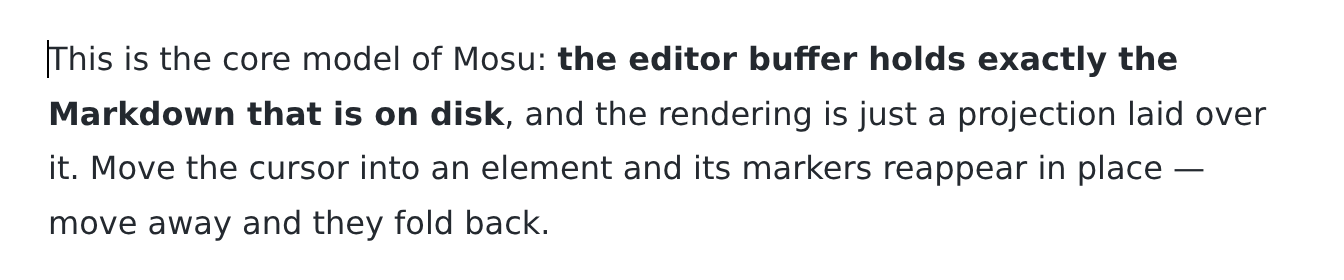
Cursor outside — formatting only
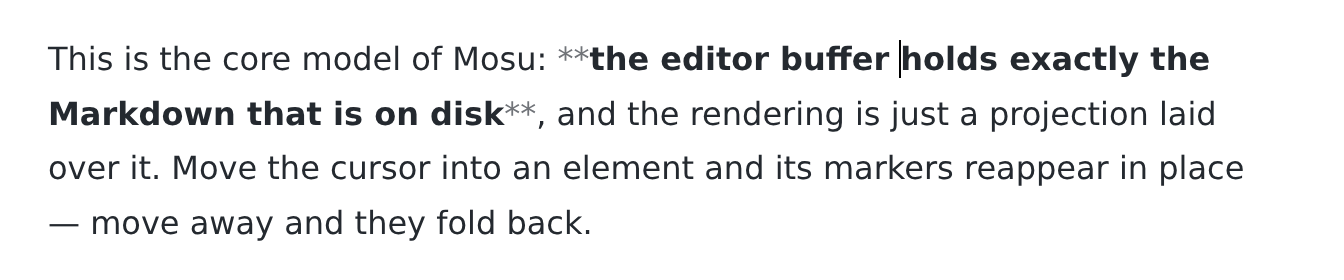
Cursor inside — the ** come back
Code blocks are highlighted per language and do not wrap along with prose; math goes through KaTeX; a ```mermaid fence renders straight to a diagram. All of it is lazy-loaded — a document that uses none of these pays no startup cost for them.
Usable, and still on the way to 1.0. Version 0.2.0. The "hard problems" batch (milestone "M4.5") is done:
GFM (tables, task lists, strikethrough, footnotes), math, Mermaid diagrams, an outline panel, a command palette, crash recovery, six themes, HTML and PDF export, copy-as-rich-text, paste-HTML-as-Markdown, table editing, a file tree, tabs, session restore, a settings panel, inline HTML rendering, customisable shortcuts, focus mode, typewriter mode and a Chinese/English/Japanese interface are all working.
v0.2.0 added create/rename/move-to-trash in the file tree, Quick Open (⌘P), search across the whole workspace (⌘⇧F), outline filtering and collapsing, and a manual update check.
Next up is AI — rewrite, translate, summarise, ask-the-document, all built in rather than installed, and never editing the document directly: every AI change arrives as a diff you can see, and one ⌘Z undoes it.
Not there yet: AI (M5, not a line written), user theme directories with hot reload, block-level HTML rendering (that one is a deliberate no, see the roadmap), drag-to-resize table columns, PDF headers/footers and TOC page numbers, drag-to-move in the file tree, and Pandoc-based export (DOCX / ePub).
An open plugin system is also a deliberate no for v1 — no third-party code is loaded. What gets opened up later is a controlled Tool API.
Every milestone ends with a "what actually differed from the plan" section listing exactly what was cut and why. That list is part of the project, not an embarrassment to hide.
There is no tagged release yet, but every push to main produces installers for all three platforms under Actions.
⚠️ Those builds are unsigned. macOS will refuse them on first launch (right-click → Open, or allow them under System Settings → Privacy & Security) and Windows SmartScreen will warn. This is not a problem with the app — the signing certificates simply are not configured yet.
Running from source is easier:
pnpm install
pnpm devThe design documents are written in Chinese and are not translated. That is a deliberate trade-off rather than unfinished work: there are ten design documents plus six architecture decision records, they change as development goes on, and translating a moving target costs not one translation but one per revision, forever.
They are worth a machine translation if you are curious, because they are not feature lists — they record trade-offs and mistakes:
The commercial product with a comparable experience is Typora. This project is an independent implementation: it reuses none of its code, assets or interface materials, and borrows only the seamless live-preview interaction model. The two are not affiliated.